
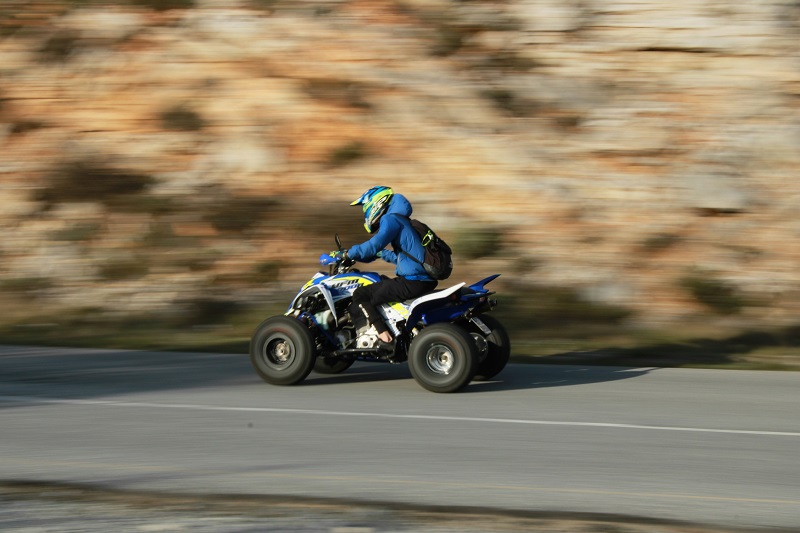
Your Yamaha ATV has taken a beating over the years — sun-faded decals, scuffed plastic, and peeling stickers that tell the story of every trail you’ve conquered. The good news is that you don’t need a full restoration or a new machine to bring back that showroom look. A graphics kit refresh is one of the most affordable and satisfying upgrades you can do yourself in an afternoon.
Assess What You’re Working With
Before ordering anything, take a close look at your ATV’s existing plastics. Run your hand over each panel and check for deep gouges, cracks, or warping. Minor surface scratches won’t matter once the new graphics go on, but structural damage to the plastic should be repaired or the panel replaced first; new Yamaha ATV decals won’t hide a cracked fender for long.
Note your Yamaha’s model year and model name (Grizzly, Raptor, Kodiak, Banshee, etc.), since graphics kits are cut specifically to fit each machine. Getting the right fit is everything; an ill-fitting kit will bubble, peel, and look worse than when you started.
Choose the Right Graphics Kit
You have two main routes: OEM-style replacement graphics that mimic the original factory look, or custom aftermarket kits that let you choose colors, patterns, and even personalized text. Companies like Senge Graphics produce high-quality kits tailored to specific Yamaha models and years.
If your goal is a clean, stock appearance, go OEM-replica. If you want to stand out on the trail or at the track, a custom kit gives you far more creative freedom. Either way, look for kits printed on thick, UV-resistant vinyl with pre-cut panels; they’re far easier to install than raw vinyl sheeting you’d have to trim yourself.
Gather Your Supplies
You don’t need a garage full of specialized tools. Pick up the following before you start:
- Heat gun or hair dryer
- Plastic-safe adhesive remover or isopropyl alcohol (90% or higher)
- Microfiber cloths
- Plastic squeegee or an old credit card
- Mild dish soap and warm water (optional, for wet application)
Remove the Old Graphics
Start by warming the existing decals with your heat gun on a low setting. Moving it slowly back and forth softens the adhesive and lets you peel the vinyl away cleanly without tearing. Work from one corner, pulling at a low angle rather than straight up. Once the decal is off, spray any remaining adhesive residue with your adhesive remover and wipe it away with a microfiber cloth. Finish by wiping down each panel with isopropyl alcohol to degrease the surface completely; this step is critical for adhesion.
Apply the New Graphics
Peel the backing off your new graphic partially, line it up carefully, and press one edge down first. Use your squeegee to smooth the decal outward from the center, pushing air bubbles toward the edges as you go. A heat gun helps the vinyl conform to curved panels and tight contours; gently warm the graphic as you press it down around any bends or recesses.
If you’re nervous about placement, a wet application works well: mist the plastic with a mix of water and a drop of dish soap, lay the decal down, and slide it into position before squeegeeing out the moisture and letting it cure for 24 hours.
Once all panels are done, step back and check for any lifted edges or small bubbles. A quick pass with the heat gun and firm finger pressure will take care of most imperfections. Reinstall your panels, and your Yamaha will look like it just rolled off the showroom floor, ready for whatever trail comes next.